
Having high-quality visual elements has ceased to be an expensive service accessible only to companies with design teams. The best AI image generators will let you create a masterpiece or a photorealistic image in just one minute based on your text description. Whether you are a marketer needing photos for your social media campaign, an artist seeking inspiration, or a business owner needing a new look for your website, professional images are created in one click through text to image AI.
What is an AI image generator?
AI image generation tools are computer software applications using artificial intelligence to produce novel visual graphics based on text descriptions. Based on complex machine learning models that are trained on billions of existing images, these applications depend on diffusion models that allow an AI application to create an original image based on a written text prompt by refining random noise into a high-resolution visual image. In 2025, an AI art generator will be a must-have in their field because of its ability to allow instantaneous prototyping.
How AI Image Generators Work
These models do this by understanding human language and associating these patterns with images that were learned during the training stage of these models. The models start by analyzing your text description, understanding what it is that you want, and then creating the image according to that description.
The most common method that most models use is called latent diffusion, which starts by analyzing a lot of digital noise that eventually gets cleared, forming an image that fits the description provided by the user, described by the user via a text description. These images can also be further enhanced by using techniques such as style, resolution, and even image upscaling tools.
Why Use AI Image Generators?
These generators go a long way in reducing the current huge time and expense involved in creating high-quality visuals. You do not require any skill in design or a pricey camera to produce professional-standard images. You can create any type of image, be it surreal dreamscapes, realistic product shots, or much more. For businesses, the use of artificial intelligence generators guarantees consistency in visual branding. You can reproduce a particular artistic style using a free AI image generator for initial concepts.
Rapid Comparison of Best AI Picture Generators
| Tool Name | Categories | Best For | Free Plan | Image Quality | Commercial Use |
| DALL-E 3 | Prompt Understanding | Prompt Understanding | Restricted | High | Yes |
| Midjourney | Photoreal | Artistic Excellence | No | Ultra-High | Yes: Paid |
| Microsoft Copilot | Free DALL-E 3 Access | Accessibility | YES | High | No |
| Stable Diffusion | Open Source Control | Customization | Open source | High | Yes |
| Leonardo.ai | Versatile Configurations | Creative Assets | Yes | High | Yes |
| Adobe Firefly | Brand Safety | Design Workflow | Yes | Professional | Yes |
| Ideogram | Images and Text | Typography | Yes | High | Yes |
| Wombo Dream | Mobile Creativity | Mobile Art | Yes | Artistic | No |
Best AI Image Generators: In-Depth Reviews
DALL-E 3
DALL-E 3 is the most intuitive generator because it is built right into the chatbot itself and does a great job of knowing what you specifically want. It is able to follow complex prompts much more easily than any other generator on the market.
| Plan | Cost/Month (Annual Payment) | Terms |
| Free | 0 | A few images with Microsoft Copilot |
| Plus | $20 | 80 prompts per 3 hours in ChatGPT |
| Team | $25 | Team feature set & admin console: 2-user min |
Key Features:
- Exceptional adherence to detailed text instructions.
- Conversational editing is a process that enables people to correct tiny details via chat.
- High level of security, corporate filters with integrated safety features.
Pros:
- Involves collaboration between humans and AI to generate art.
- Produces highly coherent scenes.
Cons:
- Nothing is significantly wrong with this tool. There might be some delay issues with some.
Midjourney
Midjourney is considered the benchmark for artistic and photorealistic quality in the AI community. The AI produces cinematographic imagery with lights and textures that can even be better than what a human artist can achieve in a single sitting.
| Plan | Cost per Month (Annual Payment) | Terms |
| Basic | 8 | 3.3 hours of Fast GPU time per month |
| Standard | $24 | 15 hours Fast GPU: Unlimited Relaxed |
| Pro | $48 | 30 hours Fast GPU: Includes stealth mode |
Key Features:
- Best-in-class aesthetic quality and artistic expression.
- Enhanced Style Reference and Character Reference functions.
- Inspiring gallery of community members’ contributions.
Pros:
- The strength of this mod is that it is visually stunning.
Cons:
- It lacks a free plan; it only runs using Discord or a dedicated web app.
Microsoft Copilot (Designer)
Microsoft Copilot provides a free way to leverage the very capable DALL-E 3 model as part of Windows and Bing services. It is an excellent free AI image generator entry point for those desiring quality OpenAI productions without a ChatGPT Plus subscription.
| Plan | Cost per Month (Annual Payment) | Terms |
| Free | 0 | 15 daily boosts for fast Generation |
| Pro | $20 | Daily boosts & priority access |
| Business | $30 | Enterprise Security and Higher Limits |
Important Features:
- Utilizes the DALL-E 3 technology provided.
- Directly integrated into the Edge browser and Windows 11.
- Comes with a designer for creating graphic design layouts.
Pros:
- It is entirely free to start and very accessible.
Cons:
- Less customization compared to the native version of ChatGPT.
Stable Diffusion (Stability AI)
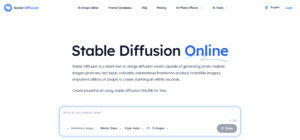
Stable diffusion is the choice of advanced users because it is open-source and can be executed directly on your local machine There is complete privacy, too, and it is also open-source, so users can modify it by using user-developed plugins such as ControlNet and LoRAs.
| Plan | Cost per Month (Annual Payment) | Terms |
| Free | 0 | Versión sistemas libres para alojamiento propio |
| Pro | $20 | Access to the latest models (SD 3.5) via API |
| Enterprise | Custom | Dedicated Support and Custom Model Training |
Key Features:
- Full control over all technical properties and seeds.
- Local hosting allows for free monthly charges and guarantees complete data privacy.
- High-speed rendering is possible if you have a powerful GPU.
Pros:
- Unmatched flexibility and no usage restrictions for local installs.
Cons:
- It requires technical knowledge to use the software. This depends on the complexity of the project.
Leonardo.ai
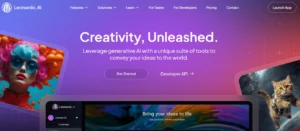
Leonardo.ai offers a very advanced creative environment where the user is given the opportunity to choose between several fine-tuned models for particular tasks. This is very appealing to game developers and concept artists, who need more of the latest interfaces for generating content than what is provided by basic chat interfaces.
| Plan | Cost per Month (Annual Payment) | Terms |
| Free | 0 | 150 per day for general-purpose usage |
| Apprentice | $10 | 8,500 monthly tokens: Private mode |
| Artisan | $24 | 25,000 per month tokens: Unlimited relax mode |
Key Features:
- AI Canvas for real-time painting and image expansion.
- Examples of PhotoReal, Cinematic, and 3D Render outputs.
- Generate history with the capability to remix your works seamlessly.
Pros:
- Excellent variety of specialized models for consistent art styles.
Cons:
- The online interface may appear cluttered to a newcomer.
Adobe Firefly
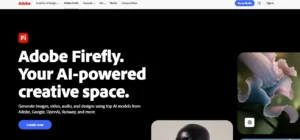
Adobe Firefly is the commercially safe option since it is trained on Adobe Stock and public domain content only. Adobe Firefly is an interface integrated with Adobe Photoshop, allowing you to easily add or remove objects in a photograph with just a few words with the help of Generative Fill.
| Plan | Cost per Month (Annual Payment) | Terms |
| Free | 0 | 25 Generative Credits per Month |
| Premium | $4.16 | 100 credit generative: no watermarking |
| All Apps | $59.99 | 1000 credits: All Adobe products |
Key Features:
- Legally safe training data eliminates the possibility of copyright disputes.
- World-class photo editing through Photoshop integration.
- Text-to-Vector features for professional logo design.
Pros:
- Best suit it has: Best for corporate usage.
Cons:
- Not as surreal or artistic as Midjourney.
Ideogram
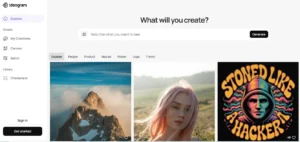
Ideogram 2.0 is the best tool for typography and graphic design since it can correctly spell words within an image. If you are looking to design a t-shirt, a logo, or a poster that contains clear and legible letters, then you can only count on Ideogram.
| Plan | Cost per Month (Annual Payment) | Terms |
| Free | 0 | 10 limited public generations per day |
| Basic | $7 | 400 Priority Credits: Quality Export |
| Plus | $15 | 1,000 priority credits: Private Generation |
Key Features:
- Unbeatable accuracy in rendering texts.
- The Magic Prompt function enables the extension of mere concepts into detailed artwork.
- Set up Graphic and Typography modes.
Pros:
- Excellent design for logos and posters: very clean lines.
Cons:
- Not primarily focused on generic landscape or stock photo generation.
Wombo Dream
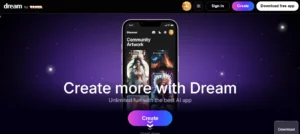
Wombo Dream is a mobile-friendly model, and the emphasis here is on artistic styles and quick creativity. These models are ideal for casual users who want to create trippy art, or any form of stylized art for social media posters without needing to know complex prompts.
| Plan | Cost per Month (Annual Payment) | Terms |
| Free | 0 | Basic Generation with ads |
| Premium | $7 | Speed up Generation: No ads: More styles |
| Lifetime | $169 | Full set of features for a one-time cost |
Main Elements:
- Hundreds of presets such as Vibrant, Steampunk, and other artists.
- Highly straightforward and easy-to-use app interface.
- Community feed for seeing and remixing other people’s art.
Pros:
- Fun, fast, and highly stylized outputs for mobile users.
Cons:
- Less resolution and fewer realities compared to professional software.
How to Choose the Best AI Image Generator for Your Needs
However, selecting a suitable tool depends upon what one intends to achieve. For professional artistic tasks, there can be no better option than Midjourney. If one is a beginner or requires creating images with complicated texts, DALL-E 3 or Ideogram would prove to be the best option available. For professional designers, Adobe Firefly would remain a preferable choice because of its seamless integration with Photoshop, whereas those power users are expected to aim at Stable Diffusion if they demand complete privacy without any cost associated with these technologies.
Are AI Image Generators Safe for Commercial Use?
Most artificial intelligence art creation tools give you the right to commercially distribute the works once you’re on a paid subscription. Some tools, such as Adobe Firefly, offer you what is called “indemnification,” which means they shield you from liability since their training data sources are licensed. But bear in mind that artificial intelligence artworks cannot yet be copyrighted. This means you’re supposed to create them for things like products that have exclusive trademarks.
Advantages & Disadvantages of AI Image Generators
Pros:
- Ideas that would have taken days to render could be instantly visualized.
- Cost-effective: By not requiring artists for all small-scale tasks.
- Ability to iterate through hundreds of styles in minutes.
Cons:
- Hallucinations might also include an extra finger or weird body parts.
- Legal systems pertaining to ownership are also under consideration.
- Several attempts may be needed to achieve a very specific outcome.
Conclusion
AI-powered image generators are transforming the way we create content, as they offer professional-level artistic capabilities to everyone who has an image to describe in a text format. Whether you want a Hollywood-standard landscape shot, a professional logo design, or a realistic photo edit, what you are looking for will help you. You can save thousands of dollars and hours of hard work just by trying out these platforms and experiencing the creativity that has not been possible before.
FAQs
Which is the best AI-based image creator?
Midjourney is overall the best for image quality, while DALL-E 3 is the best for prompt comprehension.
Are AI image generators free?
These include free daily credits (such as Leonardo) or are completely free through search engines (such as Microsoft Copilot).
What are the ways I can use AI-generated images?
Yes, but only with the use of Adobe Firefly or Midjourney paid plans that permit commercial use.
Do AI image generators replace designers?
In this case, the answer is no, because these are tools that enable a designer to complete their work faster while considering more options.
Which AI image creator is most appropriate for beginners?
The most user-friendly ones, especially when one is first beginning, would be Microsoft Copilot and DALL-E 3.
